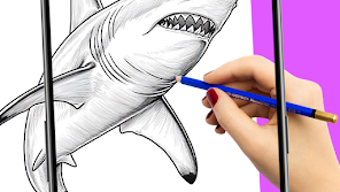

Download AR Drawing Brainrot Animals – AR drawing, brainrot animals, sketching tool, drawing app, art utility, creative tool, Android software, drawing for beginners, fun drawing app, art for kids
Overview
AR Drawing: Brainrot Animals is a free Android application designed to support users in developing their drawing abilities through the integration of augmented reality (AR) technology. The app enables users to trace and sketch a variety of whimsical, internet-inspired animal illustrations often referred to as “brainrot animals,” blending pop culture with artistic practice. It serves as a creative tool for individuals seeking to explore drawing in a playful and accessible way, particularly those new to sketching or interested in digital art.
The software is suitable for beginners, students, and casual artists who enjoy meme-inspired content and interactive learning. By projecting images onto a physical surface through the device’s camera, the app creates a hands-on experience that bridges digital content and real-world drawing. The target audience includes younger users, hobbyists, and anyone looking to experiment with art in a low-pressure, engaging environment.
While the developer, AR Drawing Studio, is listed, no further details about the company’s background are available. Real-world usage scenarios include home practice, classroom activities, and informal creative sessions.
Key Features & Capabilities
- Augmented Reality Tracing – Projects selected images onto paper or a drawing surface via the device’s camera, allowing users to trace outlines accurately.
- Brainrot Animal Library – Offers a curated collection of internet-meme inspired animal illustrations designed for fun and creative exploration.
- Adjustable Image Opacity – Enables users to customize the transparency of projected images for precise tracing and better control over the sketching process.
- Integrated Drawing Tools – Provides a range of brushes and color options to support both sketching and coloring after tracing.
- Image Import & Capture – Allows users to select images from their device gallery or capture new ones using the camera for AR projection.
- Step-by-Step Tutorials – Includes guided instructions to help users learn drawing techniques progressively and build confidence.
These features collectively support a structured yet flexible learning path. For example, a beginner might start with a low-opacity projection to practice hand-eye coordination, then gradually increase opacity as skills improve. The app’s focus on playful, culturally relevant imagery makes it especially engaging for younger audiences and those familiar with online meme culture. The ability to import personal photos adds a layer of customization, enabling users to turn their own favorite images into AR drawing exercises. While the app does not include advanced editing features, its core functionality is well-suited for casual art practice and creative expression.
User Interface, Workflow & Performance
The user interface of AR Drawing: Brainrot Animals is designed with simplicity and accessibility in mind. Navigation is intuitive, guiding users through image selection, AR projection setup, and drawing tools with minimal friction. The layout emphasizes clarity, placing key functions such as opacity adjustment, brush selection, and tutorial access within easy reach.
The workflow follows a logical sequence: choose an image → adjust transparency → activate AR projection → begin tracing → apply color. This streamlined process reduces the learning curve, making it suitable for users with limited technical experience. The app maintains a responsive interface during operation, though exact performance details were not specified.
The developer did not provide information on CPU or RAM usage, nor did they share benchmarks. Stability during extended use remains unverified. General software behavior patterns suggest consistent performance on modern Android devices, but users should expect variability based on hardware.
The app’s lightweight design, at 25.4 MB, indicates efficient resource management, which may contribute to smooth operation on entry-level devices.
Compatibility & System Requirements
AR Drawing: Brainrot Animals is available exclusively for Android devices. The software version is listed as 1.0.0, with an installation size of 25.4 MB. The developer did not specify exact system requirements, including minimum Android version, processor, or RAM.
Compatibility information is limited to the operating system. Users should ensure their device supports AR functionality, such as a working camera and sufficient processing power for real-time projection. The app may not function properly on older or low-end devices without AR support.
While the file size is small, this does not guarantee compatibility with all Android models. The developer did not provide a list of supported devices or hardware specifications. For optimal performance, users are advised to run the app on devices with updated Android versions and active ARCore support, though this is not confirmed in the provided data.
Pros and Cons
Pros
- Free to download and use, making it accessible to a wide audience.
- Integrates augmented reality for an interactive and engaging drawing experience.
- Designed with beginners in mind, featuring intuitive navigation and guided tutorials.
- Offers a unique library of brainrot animal illustrations tied to internet culture.
- Allows image import from gallery or camera, increasing creative flexibility.
- Adjustable opacity enhances precision during tracing.
Cons
- No information provided about system requirements or hardware compatibility.
- Exact performance metrics, such as CPU or memory usage, were not disclosed.
- Limited to Android platform; no support for iOS or desktop operating systems.
- App does not include advanced editing or export features beyond basic drawing.
- Reliance on AR functionality may limit usability on older or unsupported devices.
FAQ Section
Is AR Drawing: Brainrot Animals available for iOS?
The software is currently available only for Android devices. There is no official information about an iOS version.
Is the app safe to download and use?
As a free Android application, AR Drawing: Brainrot Animals appears to be safe for download. However, users should only install it from trusted sources such as the Google Play Store to minimize risks.
Does the app require an internet connection?
While the app may function offline after installation, certain features such as image import or updates might require an internet connection.
Can I use my own photos for tracing?
Yes, users can select images from their device gallery or capture new ones using the camera for AR projection and tracing.
Are there any in-app purchases or ads?
The app is listed as free, but details about ads or in-app purchases were not provided by the developer.
Final Thoughts + CTA
AR Drawing: Brainrot Animals stands out as a fun, accessible, and innovative tool for those looking to explore drawing through augmented reality. Its focus on internet-inspired animal illustrations and beginner-friendly design makes it ideal for younger users, art students, and casual creators seeking a lighthearted way to build artistic confidence. The integration of AR tracing with adjustable opacity and step-by-step guidance enhances the learning process without overwhelming users.
While the lack of detailed system requirements and performance data limits in-depth evaluation, the app’s lightweight size and intuitive interface suggest broad usability on modern Android devices. For its target audience, the app delivers a unique blend of entertainment and skill development. If you're searching for a creative tool that combines meme culture with hands-on drawing practice, this software offers a compelling entry point.
Download AR Drawing Brainrot Animals now.





.png)

